Side panel > Studio-Production > [Studio-Productions name]
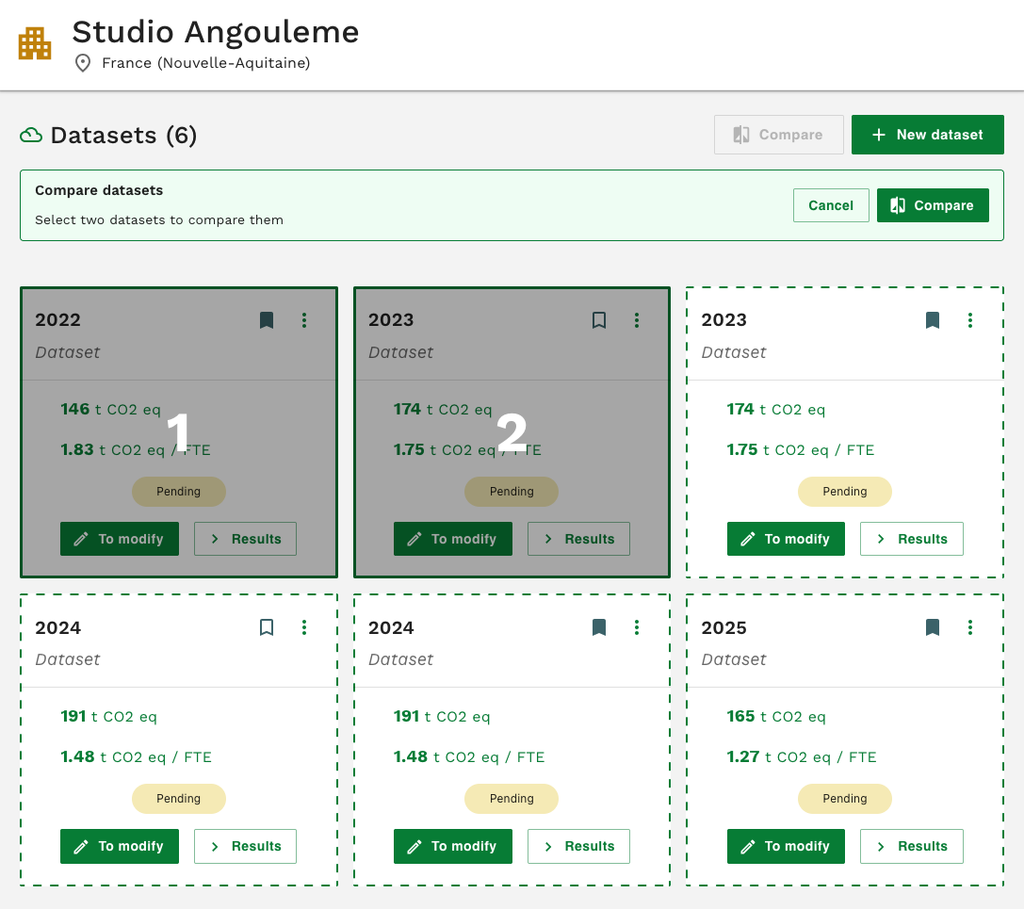
Carbulator allows you to compare different datasets to visualize changes in the carbon footprint over time or across different scenarios (such as reductions in energy consumption). These comparisons are integrated directly into the Studios and Productions pages.
To compare two datasets from the Datasets page:
- Click the [Compare] button
- Select the two datasets to compare (dataset 1 will be on the left, and dataset 2 on the right)
- Confirm by clicking [Compare] again